Nested workflow maps
Use portals to move from a high-level process into deeper decisions without flattening the model.
Gestalt is built for a workflow that gets deeper as a team investigates it. The map stays navigable, then produces artifacts that can be reviewed, circulated, or implemented.
Use portals to move from a high-level process into deeper decisions without flattening the model.
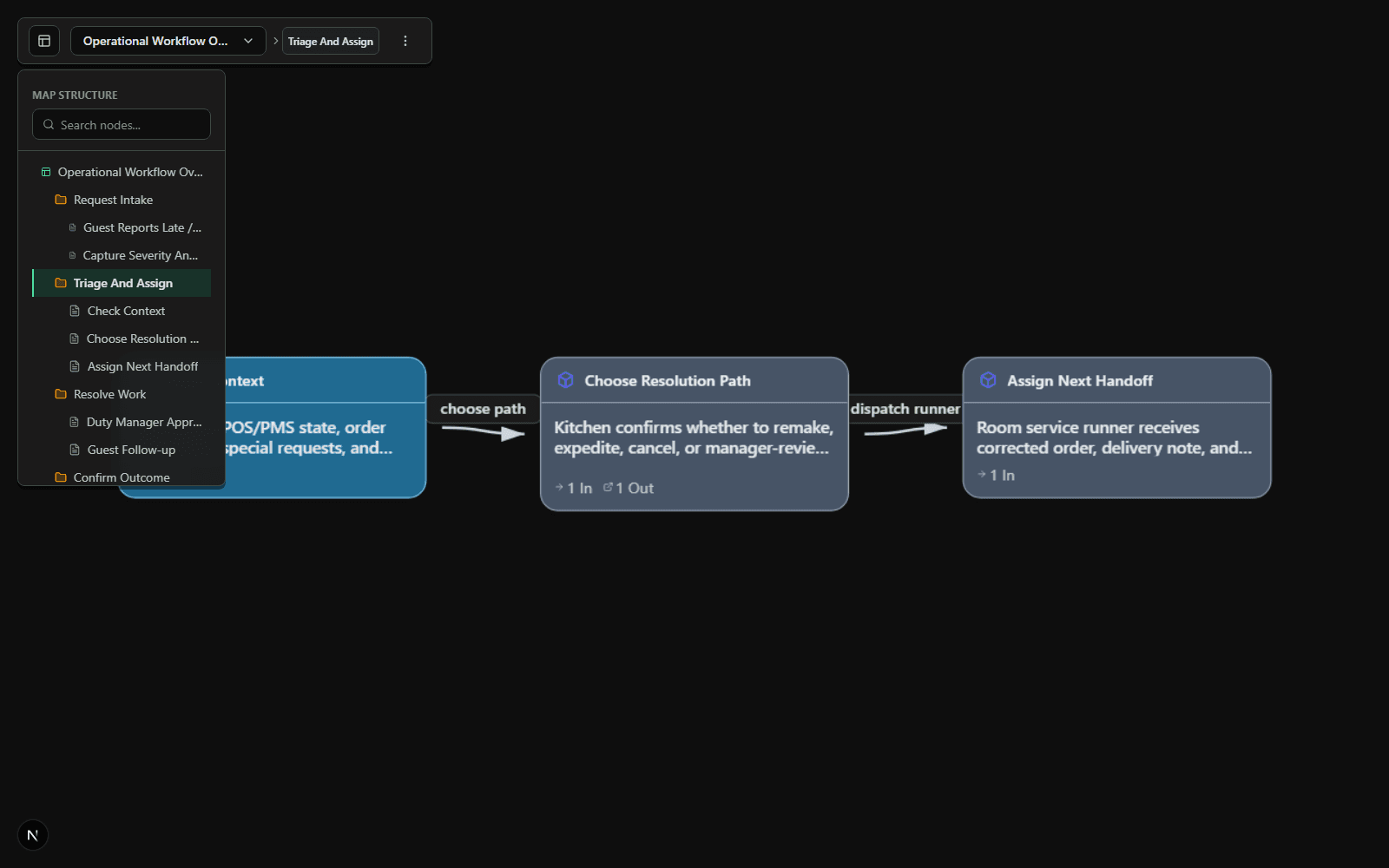
Breadcrumbs and the portal hierarchy keep detailed work connected to the operating picture around it.
Capture steps, data objects, owners, and relationships as part of the map instead of in disconnected notes.
Export diagrams, reports, printable runbooks, and SQL schema artifacts from the workflow model.
Use version history and activity timelines to revisit work without turning the map into a throwaway workshop file.
Work locally by default. Authenticated users can use cloud sync when it is configured for their account.
A portal keeps a focused decision path inside the wider workflow. The breadcrumb makes the return path explicit, so the detail does not become a disconnected diagram.
The next release slice is designed to let a recipient receive a workflow, create a copy in their workspace, and continue from the same structured source. It is planned, not currently available.
Bring an operational, product, or technical workflow. Hospitality and property operations are two examples with live demo proof.